In Gadget framework v1.7.0, Shopify TOML becomes the source of truth for your app

Published
March 25, 2026
Last updated
March 25, 2026
With Gadget framework v1.7.0, the Shopify TOML file becomes your source of truth for any Shopify app configuration.

If you are building a Shopify app with Gadget, upgrading to Gadget framework <inline-code>v1.7.0<inline-code> moves your app onto a TOML-first configuration model. After the migration runs, Shopify’s TOML file becomes the source of truth for your app configuration.

That might sound like a small change, but it has real consequences. Gadget apps already had Shopify TOML files before <inline-code>v1.7.0<inline-code>, but those files did not fully describe how the app was configured. Parts of the connection still flowed through Gadget’s legacy install path, especially around webhook registration.

With <inline-code>v1.7.0<inline-code>, your Shopify app configuration now aligns with Shopify’s own app platform model: the TOML is canonical, Gadget writes to it, and the Shopify CLI deploys it.

The TOML was already there, but it wasn’t the whole story

Before <inline-code>v1.7.0<inline-code>, a Gadget Shopify app could already have a TOML file that looked something like this:

client_id = "094c8f4584ca2d23a54c9565f648be88"
name = "my-product-quiz"
application_url = "https://my-product-quiz--development.gadget.app/api/shopify/install-or-render"
embedded = true

[auth]
redirect_urls = [ "https://my-product-quiz--development.gadget.app/api/connections/auth/shopify/callback" ]

[webhooks]
api_version = "2026-01"

[[webhooks.subscriptions]]
compliance_topics = [ "customers/data_request", "customers/redact", "shop/redact" ]
uri = "https://my-product-quiz--development.gadget.app/api/webhooks/shopify"

That file was a real Shopify TOML. But it was not yet the full contract for the app.

You can see that in a few places:

  • GraphQL API scopes are not managed in the TOML.
  • Webhook configuration was minimal, with compliance topics pointing to a Gadget-managed endpoint. Model and global action webhook subscriptions were still handled outside the TOML model.

The TOML existed, but it was not the file you would look at to fully understand how a Gadget Shopify app was wired up.

What changes in v1.7.0

Once your app is upgraded to framework <inline-code>v1.7.0<inline-code> and the migration runs, the TOML becomes the canonical definition of the connection.

Scopes now live in TOML:

[access_scopes]
scopes = "read_products,write_products,read_orders"

Webhook subscriptions for enabled models now live there too:

[webhooks]
api_version = "2024-10"

[[webhooks.subscriptions]]
topics = ["products/create", "products/update", "products/delete"]
uri = "https://webhooks.gadget-services.net/shopify/v1?domain=my-product-quiz--development.gadget.app"

When you want a global action to respond to a Shopify webhook, the action code links to a TOML-managed subscription through a <inline-code>triggerKey<inline-code>:

export const options = {
  triggers: {
    shopify: {
      triggerKey: "productUpdates",
    },
    api: false,
  },
};

With the corresponding TOML entry:

[[webhooks.subscriptions]]
topics = ["products/update"]
uri = """
https://webhooks.gadget-services.net/shopify/v1/\
productUpdates?domain=\
my-product-quiz--development.gadget.app\
"""

Filtering and payload shaping move into TOML too:

[[webhooks.subscriptions]]
topics = ["products/update"]
filter = "vendor:Nike"
include_fields = ["id", "title", "vendor", "updated_at"]
uri = """
https://webhooks.gadget-services.net/shopify/v1/\
shopifyProduct-update?domain=\
my-product-quiz--development.gadget.app\
"""

That is the core shift in <inline-code>v1.7.0<inline-code>: configuration that used to be partly implicit or managed through Gadget’s legacy path is now expressed directly in Shopify’s app manifest.

One exception: metafield webhooks are not managed in your TOML. This is because they are set as part of the <inline-code>webhookSubscriptionsCreate<inline-code> GraphQL request that Gadget does for you to enable webhooks.

You can still use Gadget’s connection flow

This does not mean every change has to become a manual TOML edit.

You can still use Gadget’s connection flow in the editor. The difference is that those changes now write through to the TOML instead of being registered via API.

So if you prefer to work in the editor, you still can. If you want to edit the TOML directly, you can do that too. Either way, there is now one canonical config file.

Why this is a better model

For teams shipping Shopify apps, this mostly comes down to clarity.

Gadget and Shopify are working from the same definition. Changes made in the editor and changes made in code converge in one place. And when Shopify exposes something through TOML, Gadget apps can take advantage of it without needing a parallel Gadget-specific surface first.

That is a better fit for the way modern Shopify apps are built: explicit, CLI-friendly, and easy to reason about in source control.

Migration is automatic

If you already have a Shopify app on Gadget, you don’t need to migrate your TOML files manually.

The migration happens automatically when you upgrade your app to Gadget framework <inline-code>v1.7.0<inline-code>.

The one thing you should do before upgrading is make sure your app is in source control. Commit your current state so you have a clean diff of the TOML and related changes that come with the migration. After that, upgrade and let the migration run. No other steps should be required.

There is one important operational detail: development stores will need to manually re-register webhooks after the upgrade. This isn’t needed in production; production stores are automatically re-registered when you deploy v1.7.0 to prod.

Learn more

For more details on the upgrade, environment-specific TOML behavior, and the underlying connection model, see the docs.

If you run into migration issues, get in touch with us on Discord.

Riley Draward
Author
Reviewer
Try Gadget
See the difference a full-stack development platform can make.
Create app
No items found.

In Gadget framework v1.7.0, Shopify TOML becomes the source of truth for your app
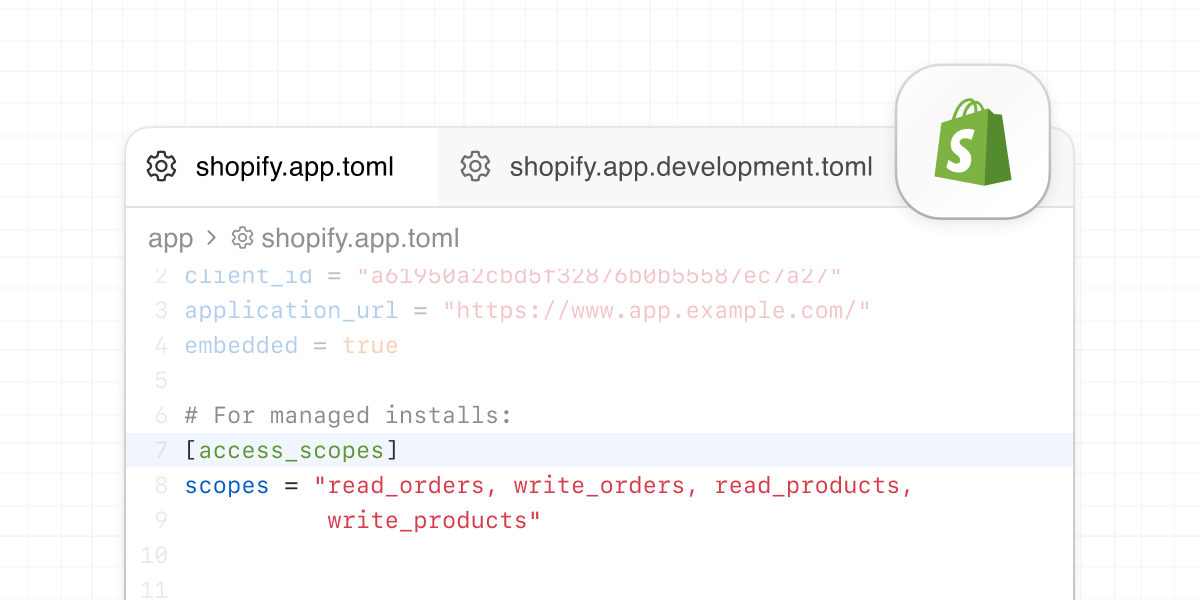
With Gadget framework v1.7.0, the Shopify TOML file becomes your source of truth for any Shopify app configuration.
Problem
Solution
Result

If you are building a Shopify app with Gadget, upgrading to Gadget framework <inline-code>v1.7.0<inline-code> moves your app onto a TOML-first configuration model. After the migration runs, Shopify’s TOML file becomes the source of truth for your app configuration.

That might sound like a small change, but it has real consequences. Gadget apps already had Shopify TOML files before <inline-code>v1.7.0<inline-code>, but those files did not fully describe how the app was configured. Parts of the connection still flowed through Gadget’s legacy install path, especially around webhook registration.

With <inline-code>v1.7.0<inline-code>, your Shopify app configuration now aligns with Shopify’s own app platform model: the TOML is canonical, Gadget writes to it, and the Shopify CLI deploys it.

The TOML was already there, but it wasn’t the whole story

Before <inline-code>v1.7.0<inline-code>, a Gadget Shopify app could already have a TOML file that looked something like this:

client_id = "094c8f4584ca2d23a54c9565f648be88"
name = "my-product-quiz"
application_url = "https://my-product-quiz--development.gadget.app/api/shopify/install-or-render"
embedded = true

[auth]
redirect_urls = [ "https://my-product-quiz--development.gadget.app/api/connections/auth/shopify/callback" ]

[webhooks]
api_version = "2026-01"

[[webhooks.subscriptions]]
compliance_topics = [ "customers/data_request", "customers/redact", "shop/redact" ]
uri = "https://my-product-quiz--development.gadget.app/api/webhooks/shopify"

That file was a real Shopify TOML. But it was not yet the full contract for the app.

You can see that in a few places:

  • GraphQL API scopes are not managed in the TOML.
  • Webhook configuration was minimal, with compliance topics pointing to a Gadget-managed endpoint. Model and global action webhook subscriptions were still handled outside the TOML model.

The TOML existed, but it was not the file you would look at to fully understand how a Gadget Shopify app was wired up.

What changes in v1.7.0

Once your app is upgraded to framework <inline-code>v1.7.0<inline-code> and the migration runs, the TOML becomes the canonical definition of the connection.

Scopes now live in TOML:

[access_scopes]
scopes = "read_products,write_products,read_orders"

Webhook subscriptions for enabled models now live there too:

[webhooks]
api_version = "2024-10"

[[webhooks.subscriptions]]
topics = ["products/create", "products/update", "products/delete"]
uri = "https://webhooks.gadget-services.net/shopify/v1?domain=my-product-quiz--development.gadget.app"

When you want a global action to respond to a Shopify webhook, the action code links to a TOML-managed subscription through a <inline-code>triggerKey<inline-code>:

export const options = {
  triggers: {
    shopify: {
      triggerKey: "productUpdates",
    },
    api: false,
  },
};

With the corresponding TOML entry:

[[webhooks.subscriptions]]
topics = ["products/update"]
uri = """
https://webhooks.gadget-services.net/shopify/v1/\
productUpdates?domain=\
my-product-quiz--development.gadget.app\
"""

Filtering and payload shaping move into TOML too:

[[webhooks.subscriptions]]
topics = ["products/update"]
filter = "vendor:Nike"
include_fields = ["id", "title", "vendor", "updated_at"]
uri = """
https://webhooks.gadget-services.net/shopify/v1/\
shopifyProduct-update?domain=\
my-product-quiz--development.gadget.app\
"""

That is the core shift in <inline-code>v1.7.0<inline-code>: configuration that used to be partly implicit or managed through Gadget’s legacy path is now expressed directly in Shopify’s app manifest.

One exception: metafield webhooks are not managed in your TOML. This is because they are set as part of the <inline-code>webhookSubscriptionsCreate<inline-code> GraphQL request that Gadget does for you to enable webhooks.

You can still use Gadget’s connection flow

This does not mean every change has to become a manual TOML edit.

You can still use Gadget’s connection flow in the editor. The difference is that those changes now write through to the TOML instead of being registered via API.

So if you prefer to work in the editor, you still can. If you want to edit the TOML directly, you can do that too. Either way, there is now one canonical config file.

Why this is a better model

For teams shipping Shopify apps, this mostly comes down to clarity.

Gadget and Shopify are working from the same definition. Changes made in the editor and changes made in code converge in one place. And when Shopify exposes something through TOML, Gadget apps can take advantage of it without needing a parallel Gadget-specific surface first.

That is a better fit for the way modern Shopify apps are built: explicit, CLI-friendly, and easy to reason about in source control.

Migration is automatic

If you already have a Shopify app on Gadget, you don’t need to migrate your TOML files manually.

The migration happens automatically when you upgrade your app to Gadget framework <inline-code>v1.7.0<inline-code>.

The one thing you should do before upgrading is make sure your app is in source control. Commit your current state so you have a clean diff of the TOML and related changes that come with the migration. After that, upgrade and let the migration run. No other steps should be required.

There is one important operational detail: development stores will need to manually re-register webhooks after the upgrade. This isn’t needed in production; production stores are automatically re-registered when you deploy v1.7.0 to prod.

Learn more

For more details on the upgrade, environment-specific TOML behavior, and the underlying connection model, see the docs.

If you run into migration issues, get in touch with us on Discord.

Interested in learning more about Gadget?

Join leading agencies making the switch to Gadget and experience the difference a full-stack platform can make.